← All agents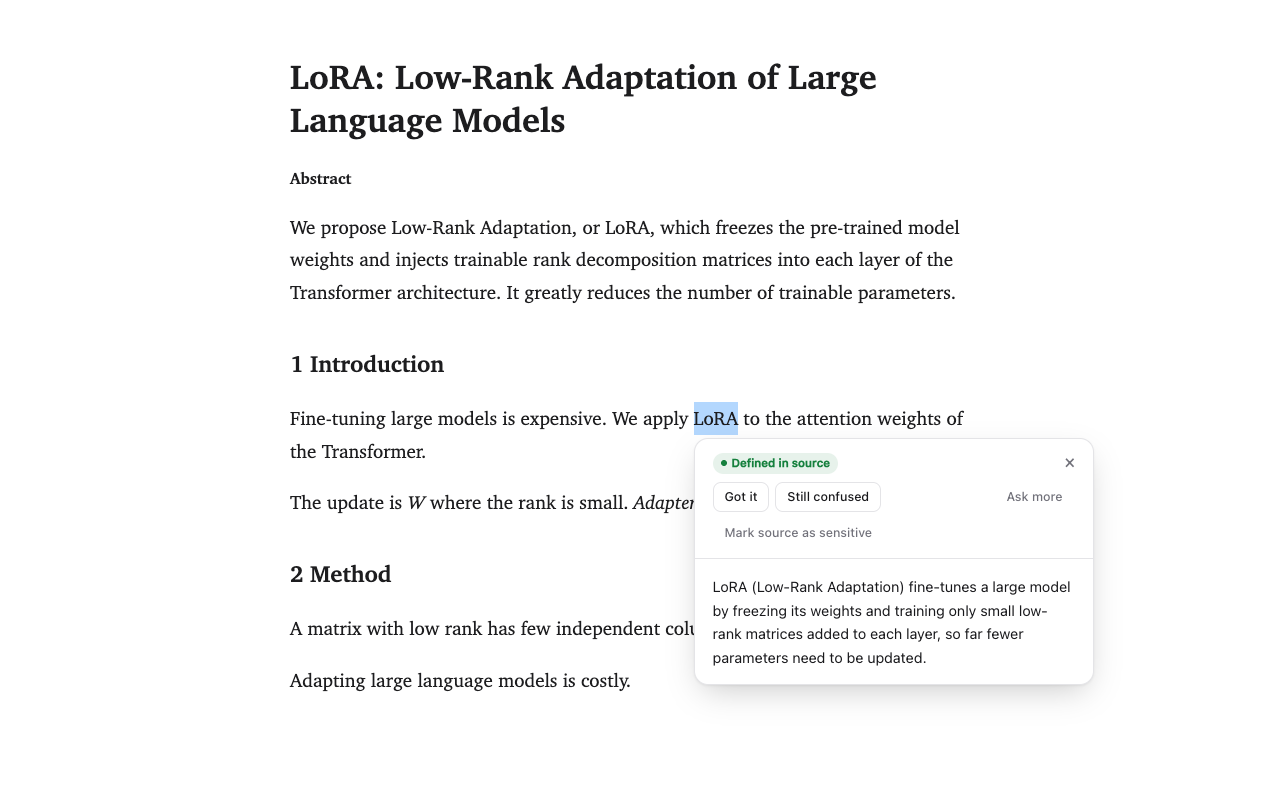
Reading tool · Chrome and Edge extension
Harkback
Select a term while you read and get it explained in context. Harkback remembers what you understood, and brings it back when you meet the term again.
What it does
- Explains in context
- Select a term and press Alt+Shift+E. The explanation uses the paragraph and section around it, and quotes the page when the page defines the term.
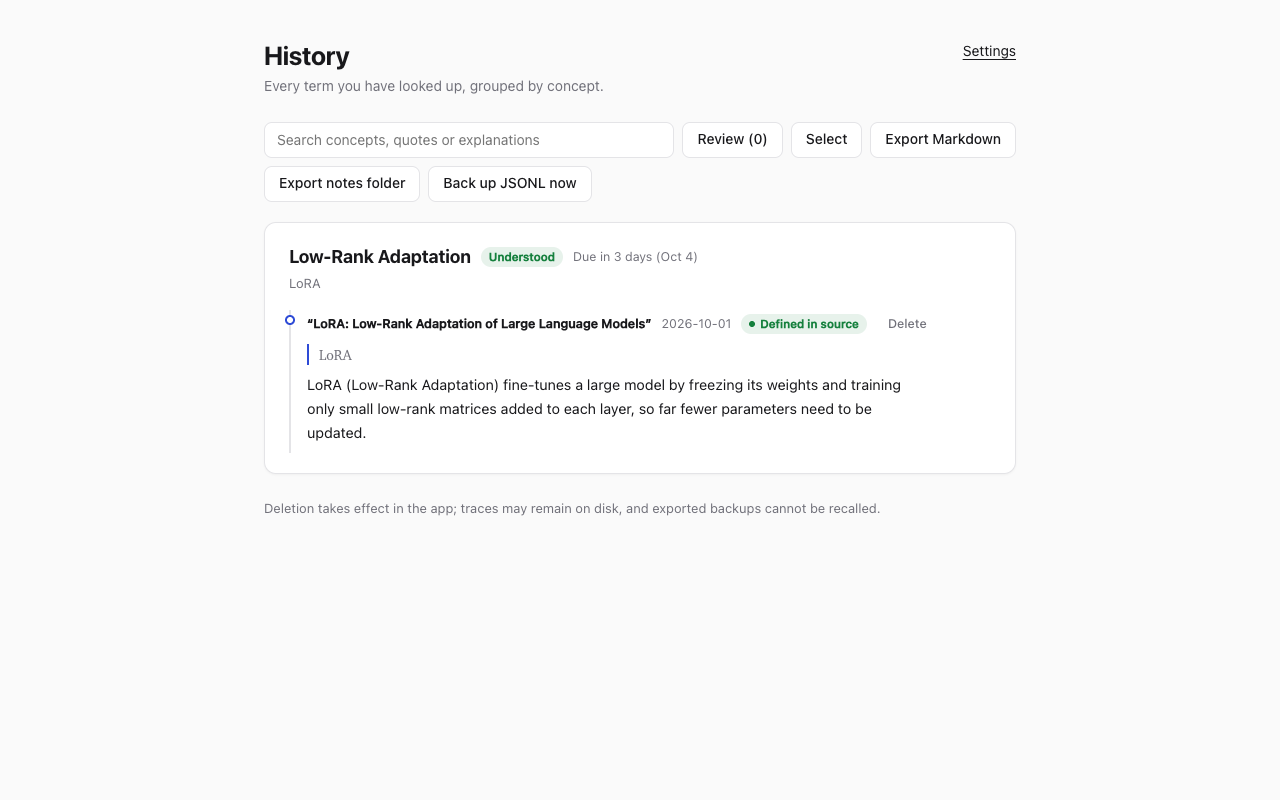
- Remembers what you understood
- Mark an explanation as understood or still confusing. Follow-up questions and answers are saved with it.
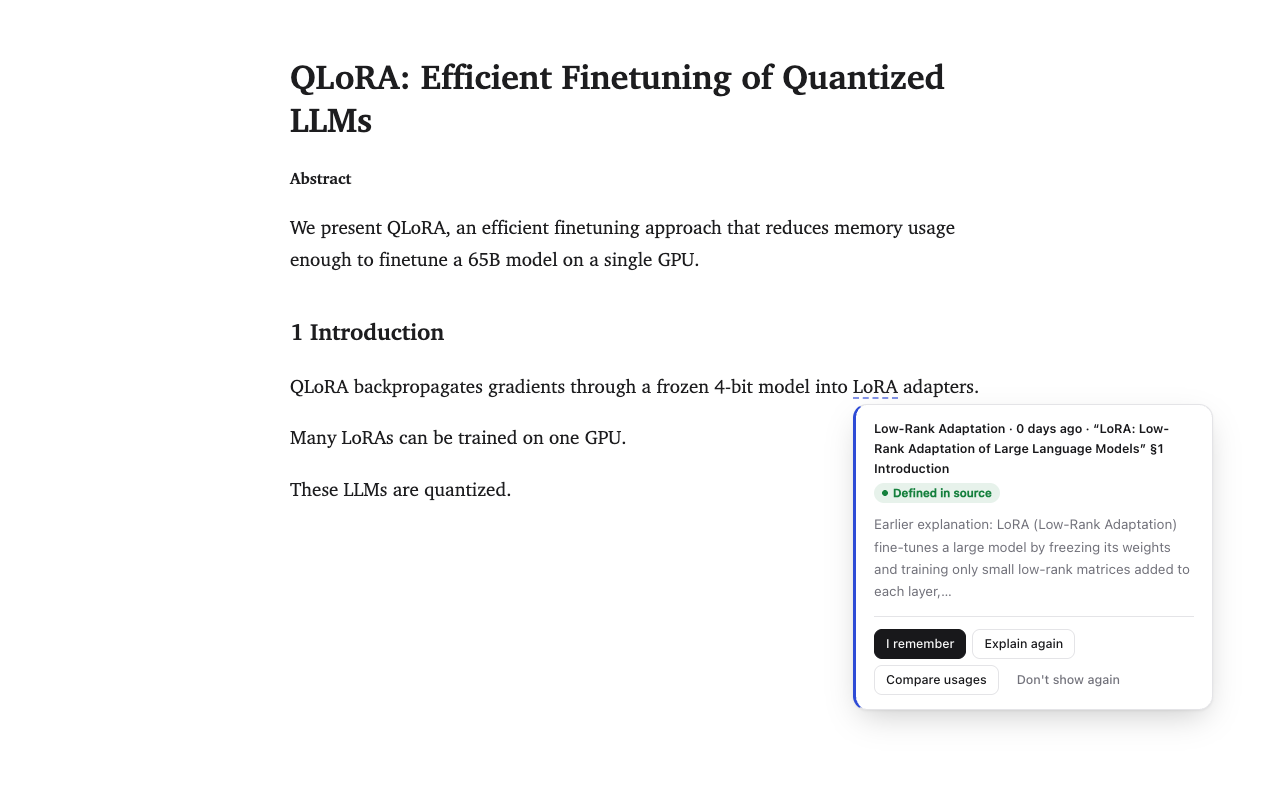
- Brings it back
- When the term shows up on a later page, even spelled differently, it's underlined, with your earlier explanation and where you met it.
- Reviews at the right time
- Terms are scheduled with FSRS-7, so each one comes back just before you'd forget it. A term you struggle with points to the prerequisites you may be missing.
- Preview a page first
- Before you read, see which terms on the page are new to you, still confusing or already known. Nothing is sent until you agree.
- Beyond papers
- Works on arXiv and PDFs, and on YouTube captions, GitHub repositories and issues, Notion pages and Google Docs once you add the site.
- Private by default
- A page that looks private isn't sent to any model until you choose. Sensitive sources only ever go to a local model, and private windows never record.
- Notes you can keep
- Export as Markdown, Anki cards, linked notes for Obsidian or a JSONL backup. A weekly digest shows what you met and what's still confusing.
How it works
Select a term
Click Explain or press Alt+Shift+E on any arXiv paper or PDF. Other sites are scanned only when you ask or allow them.
Say how it went
Mark it understood or still confusing, and ask a follow-up if you need one.
Meet it again
On a later page the term is underlined. Hover to see what you understood last time.
Screenshots
Good to know
Chrome and Edge only for now. Your model's API key is stored unencrypted in the extension's storage, so use a key with a spending limit.